
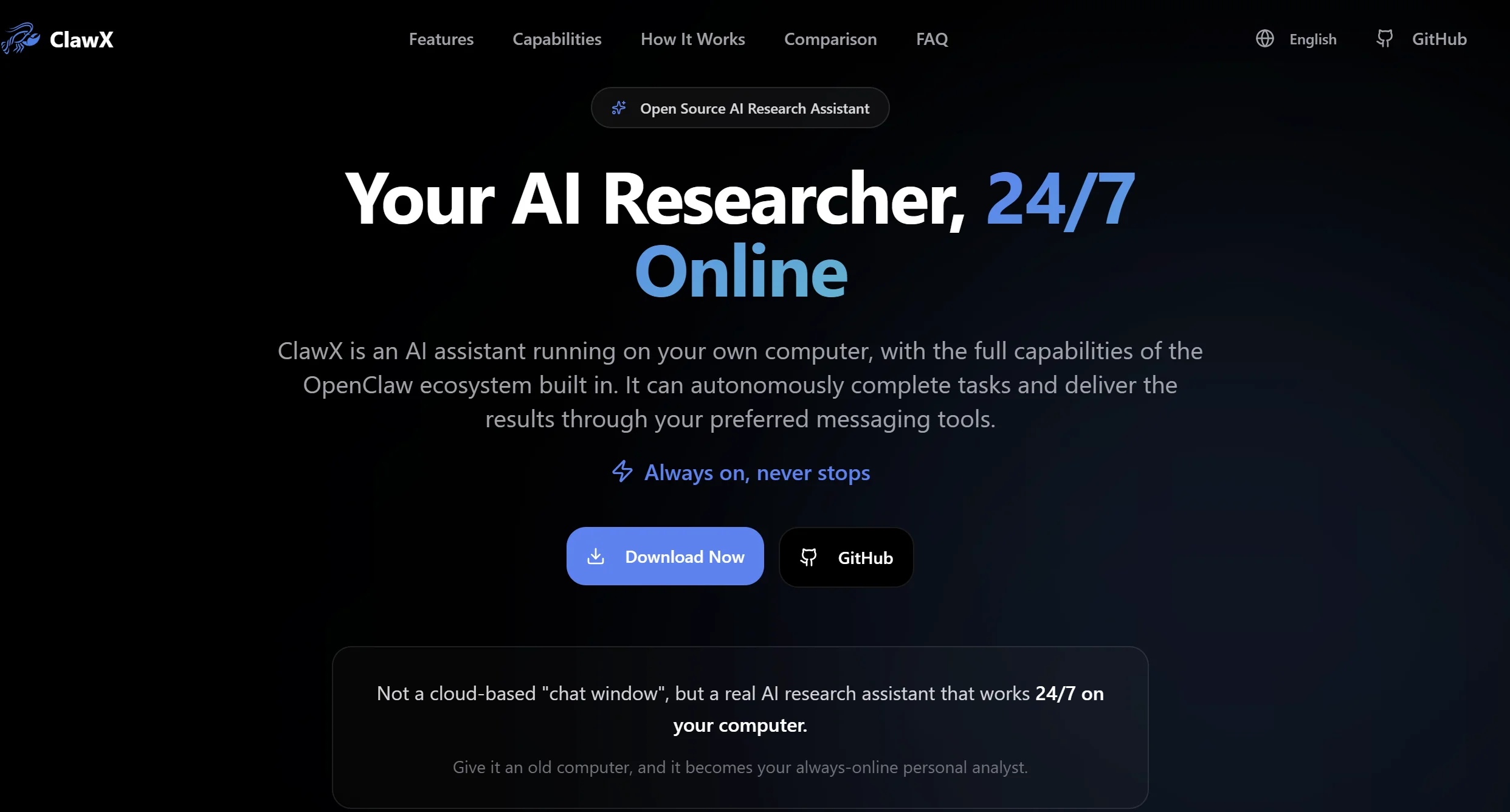
Let me give you the quick version: if you’ve ever wanted to use OpenClaw but found yourself staring at a black terminal screen thinking “now what?”, ClawX is for you. It’s a desktop app that puts a pretty face on OpenClaw. Buttons, menus, windows. Everything you’d expect from a normal application.
To put it in perspective, it’s like when we went from MS-DOS to Windows. The machine underneath was the same, but suddenly you could click on things instead of typing weird commands. That’s exactly what ClawX does with OpenClaw.
Let’s get into it.
What is ClawX app and why should you care
OpenClaw is insanely powerful. It’s the most capable open source AI agent out there right now. But it has a problem: it runs through the terminal. And for a lot of people, that’s like asking them to speak Klingon.
ClawX app solves exactly that. It’s a desktop application created by ValueCell-ai, completely open source and available on GitHub, that wraps OpenClaw in a graphical interface. You download, install, open it, and you’re using AI agents without typing a single command line.
It’s not a separate product. It’s not an alternative to OpenClaw. It’s OpenClaw in a new suit. Under the hood, it’s still the same engine, the same capabilities, the same beast. But now you can interact with it without needing to know what a cd or a pip install is.
ClawX app features that make the difference
Alright, it’s not just “OpenClaw with buttons.” ClawX brings things that the terminal doesn’t give you, or at least makes them much easier.
Setup wizard: configure without suffering
When you install OpenClaw through the terminal, you have to set up API keys, models, permissions… all by hand. With ClawX app you get a visual setup wizard that walks you through step by step. You enter your Anthropic API key, choose your model, and you’re done. No touching a .env file or searching Stack Overflow for how to format a JSON.
Multi-agent chat with @agent routing
This is one of the most interesting ClawX features. You can have multiple agents configured and address a specific one by typing @agent_name in the chat. Imagine you have one agent for code and another for writing. Instead of opening two terminals, you just type @coder or @writer in the same window.
It’s like having a work team in a WhatsApp group. You tag who you need and they get to work.
Skill marketplace for ClawX
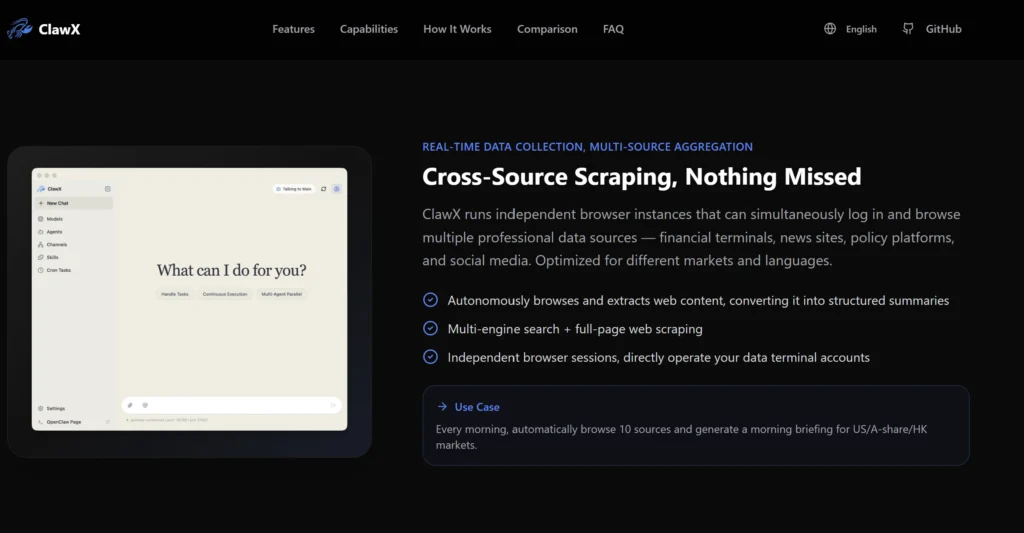
ClawX includes a built-in marketplace where you can search and install skills (the abilities you give your agent) without having to go to GitHub to find repos or copy files manually. A couple of clicks and your agent already knows how to process PDFs, do web searches, or analyze spreadsheets.
In fact, it comes with pre-included skills for document processing — PDF, XLSX, DOCX — and web search. From day one you have a functional agent.
Secure credentials in the system keychain
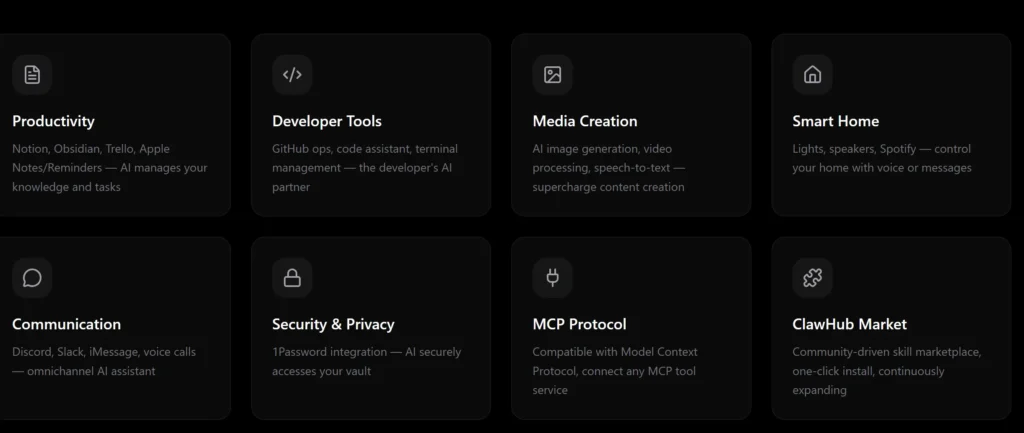
This is important and a lot of people overlook it. When you use OpenClaw through the terminal, your API keys are usually sitting in a .env file in plain text. ClawX app stores credentials in the operating system’s keychain (Keychain on macOS, Credential Manager on Windows). It’s the same system your browser uses to save passwords. Much more secure.
Light and dark themes
Okay, this is cosmetic, but it’s appreciated. You can toggle between light and dark theme. If you’re someone who works at night (like me many times here in Dubai at 2 AM), dark mode saves your retinas.
Requirements to install ClawX app
You don’t need a NASA computer. The requirements are pretty modest:
- macOS 11 or higher (Big Sur onwards)
- Windows 10 or higher
- Linux Ubuntu 20.04 or higher
- Minimum RAM: 4 GB
Basically, if your computer can open Chrome without exploding, it can run ClawX app no problem.
How to install ClawX app step by step
You have two options:
Option 1: Download the installer (recommended)
Go to ClawX’s GitHub Releases page (search for “ValueCell-ai ClawX” on GitHub), download the installer for your operating system, and run it. Next, next, finish. Like installing any program.
Option 2: Build from source code
If you’re a developer and want to tinker, you can clone the repository and build it yourself. You’ll need Node.js and npm installed. But if you’re reading an article about “how not to use the terminal,” this option probably isn’t for you. No judgment.
The tech stack behind ClawX app
For the technically curious: ClawX is built with Electron + React 19 + TypeScript + Tailwind CSS. If you’ve used VS Code, Discord, or Slack, you’ve already used apps built with Electron. Same technology. It works well, though optimization purists always complain because Electron uses more memory than a native app.
But honestly, for what it does, it’s more than enough. You’re not editing 4K video. You’re chatting with an AI agent.
ClawX app vs OpenClaw terminal vs OpenClaw web
Here’s the quick comparison so you know when to use each one. If you want a deeper dive on how OpenClaw stacks up against other AI tools, check my OpenClaw vs ChatGPT vs Claude comparison.
OpenClaw terminal — The original. Maximum control, maximum speed, zero graphical interface. For developers and people who live in the terminal. It’s what I use to manage Copito, my personal agent. Why? Because I work from the terminal all day and it’s faster for me.
OpenClaw web — The browser version. Access from any device without installing anything. Useful if you need quick access or you’re on someone else’s computer.
ClawX app — The desktop version with visual interface. The sweet spot for people who want power without complexity. No terminal knowledge needed, built-in skill marketplace, and credentials are more secure.
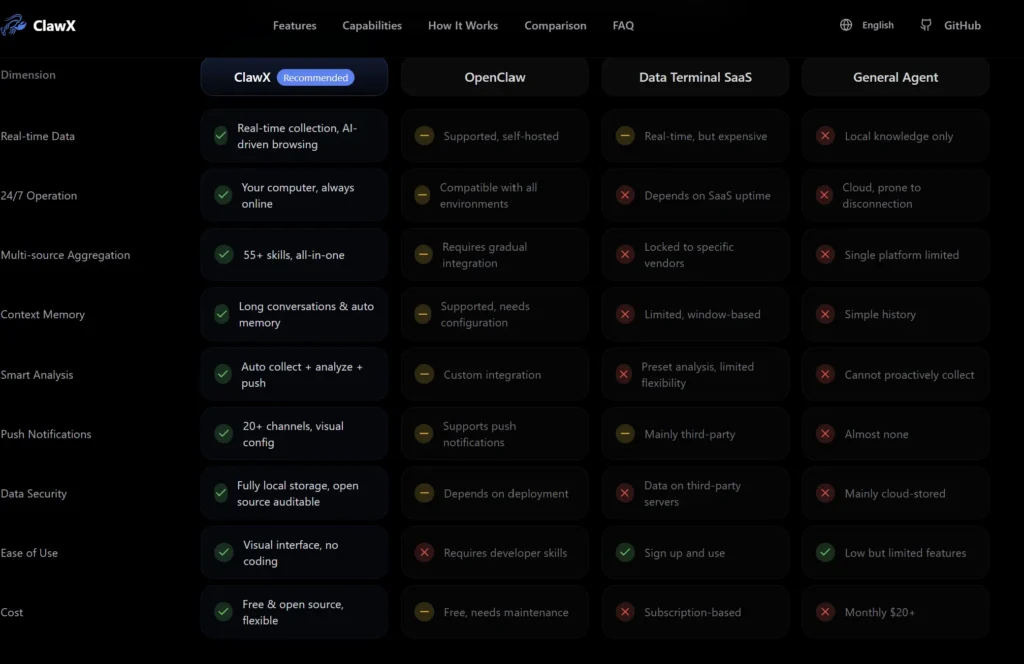
Which is best? It depends on you. If you know how to use the terminal, the original terminal will feel faster. If you don’t, ClawX app is the right answer.
Who is ClawX app for (and who it’s not for)
ClawX app is for you if:
- You want to use AI agents but the terminal intimidates you
- You’re an entrepreneur, marketer, or content creator who wants to automate without code
- You like having a visual interface with buttons and menus
- You want to install skills with a couple of clicks, not with Git commands
- You’re worried about your API keys’ security
ClawX app is NOT for you if:
- You already use OpenClaw through the terminal comfortably — it won’t add anything new
- You need maximum performance and minimum resource usage
- You want total customization of the configuration
My honest opinion on ClawX app
Look, I use OpenClaw through the terminal every day. I have Copito managing quotes, answering WhatsApps, and organizing cleanings for Good Old Clean in London, all from a VPS with terminal access. It works perfectly for me.
But I recognize not everyone is like me. And that’s where ClawX app makes all the sense in the world.
If you’re someone who’s allergic to the black screen, this changes your life. For real. Going from “I don’t even know where to start with OpenClaw” to having an agent running in 10 minutes with a visual wizard… that has enormous value.
The skill marketplace is a win. The agent routing with @ is clever. And storing credentials in the system keychain instead of a plain text file should be the standard, not the exception.
Is it perfect? No. Electron always uses more resources than it should. And if you’re an advanced user, you’ll feel the interface limits you rather than helping you. But ClawX app isn’t made for advanced users. It’s made to open the door to AI agents for everyone. And that, in my opinion, is exactly what we needed.
The future of ClawX app and the OpenClaw ecosystem
ClawX is open source, maintained by the ValueCell-ai community, and is in active development. That means it’s going to keep improving. More skills in the marketplace, better performance, more integrations.
The interesting thing is that ClawX app doesn’t compete with OpenClaw terminal. It complements it. It’s another entry point to the same ecosystem. And the more doors there are, the more people will be able to benefit from AI agents.
If you’re thinking about getting started with AI agents and you don’t know how to code, download ClawX app. Seriously. It’s the easiest way to start that exists right now. And if you’re already a terminal user, at least give it a look. It might surprise you for certain workflows where the visual interface makes more sense.
And if you want to know how NVIDIA brought OpenClaw to enterprise, read my article on NemoClaw.
See you in the next one.